EUI's WebMail can be reached at http://www.eui.eu/webmail, using the current or immediately previous version of Internet Explorer; or the latest release of Chrome, Firefox, or Safari.
After having changed your initial password as instructed in the Account Information Sheet you received with your Computing Account details (for new users) and/or as per instructions by the ICT, you can access your mail via Web at the link given above.
You will be shown a login screen: enter your full EUI email address (NOT your username!) in the form name.surname@eui.eu and the new password you chose, then click Sign in:
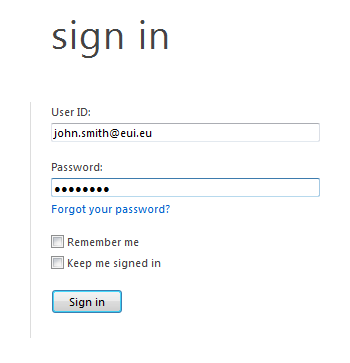
Figure 1: Sign In screen
The very first time you login you will see a second screen where you can select Language, Time-zone and Blind / Low Vision [1] preferences:
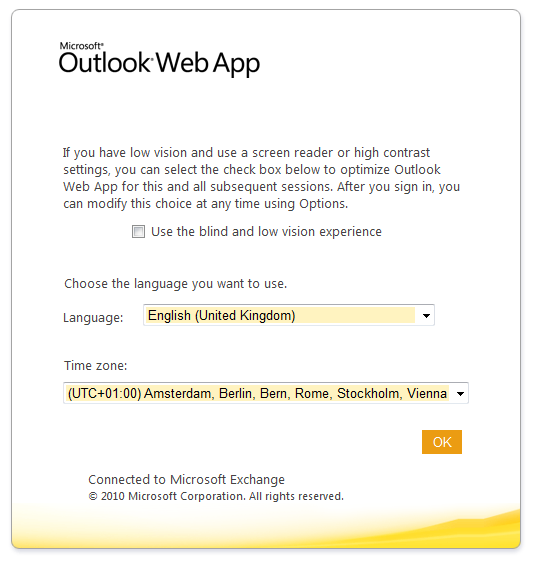
Figure 2: WebMail preferences
Make any desired changes and click OK. The WebMail interface will start.
Your preferences will remain across future WebMail sessions. If you don't set them at the first login or if you subsequently wish to change them, you can do this by going to the Options menu (top right-hand of WebMail window).
= If you have low vision and use a screen reader or high contrast settings, you can select the check box to optimize the WebMail interface for this and all subsequent sessions. After you sign in, you can modify your choice any time using Options. Some of the features missing from Low Vision interface include:
- advanced view options, such as the preview pane;
- new mail notification;
- spell-checking;
- creation and management of server-based rules;
- calendar reminders.
Page last updated on 20 August 2017